What Is the “Too Long Didn’t Read” Achievement in WorldBox?
The “Too Long Didn’t Read” achievement in WorldBox – God Simulator is one of the game’s more confusing and often misunderstood achievements. Many players see it listed but don’t know how to trigger it because the requirement is not immediately obvious and the game doesn’t explain the mechanic clearly.
In simple terms, the “Too Long Didn’t Read” achievement is unlocked when you zoom in on a kingdom or city’s detailed information screen and then close it instantly without reading anything. It is meant to be a joke achievement referencing the internet meme TL;DR (“too long; didn’t read”).
Because WorldBox frequently updates, many players search how it works today—especially since UI changes sometimes make players think it’s bugged. But the achievement still works and can be earned quickly once you know the exact steps.
Step-by-Step Guide: How to Unlock Too Long Didn’t Read
The process is simple, but you must perform it exactly for the achievement to trigger. Here are the updated steps that work in WorldBox 2025 builds:
1. Create or Load a World
You can use:
-
A new world
-
A saved world
-
Any map size
As long as at least one kingdom exists.
2. Select Any Kingdom or City
Tap or click on:
-
A kingdom icon
-
A city banner
-
A civilization zone
This brings up the Kingdom Info Panel, which includes details like population, alliances, relations, laws, and leaders.
3. Immediately Close the Panel
The key action:
-
Open the panel
-
Close it as fast as possible, within about one second
This speed is crucial, since the achievement is tied to the joke that you looked at something long and complicated—but didn’t bother reading it.
4. Achievement Pops Up Automatically
If done correctly, you will see:
-
Achievement Unlocked: “Too Long Didn’t Read”
Some platforms like Steam show a popup in the corner.
Common Mistake:
Players often read the panel for a few seconds and then close it.
Doing so will NOT unlock the achievement.
Why the Achievement Doesn’t Unlock for Some Players
Many players believe the achievement is bugged, but the issue is usually one of these common mistakes:
1. Not Closing the Panel Fast Enough
You must close it almost instantly—less than a second.
2. Wrong Panel
The achievement requires:
-
Kingdom Info, City Info, or Civilization Info panels
It does not trigger from:
-
Leader bios
-
Army details
-
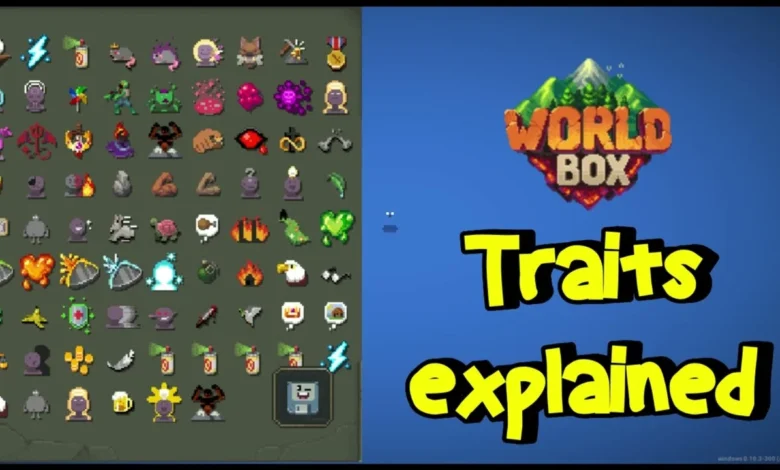
Traits menus
3. Mods Interfering
Using mods such as:
-
UI overhauls
-
Achievement unlockers
-
Custom worlds
may prevent certain achievements from triggering.
4. Sandbox Disabled Achievements
On some platforms, if cheats are enabled:
-
Achievements may pause
-
Certain actions won’t register
Turn off cheat toggles for guaranteed unlocking.
5. Playing on Older Versions
Some unofficial APK versions or old builds do not support updated achievements.
Keeping the game updated ensures all achievements function properly.
Does the Platform Matter? (Steam, Mobile, iOS, Android)
Yes—achievements can behave differently depending on where you’re playing.
Steam (PC)
✔ Achievements work reliably
✔ Works with keyboard/mouse or touchscreen
✖ Mods can break the trigger
Android
✔ Achievement unlocks normally
✖ Some APK or modded installs disable cloud syncing
iOS
✔ Works with fast tap-close gestures
✖ Requires current App Store version
Microsoft Store / Game Pass
✔ Works the same as Steam
✖ Slightly slower UI, so close timing must be quick
Important Tip:
Players with slower devices may need to tap faster because UI lag affects the detection window.
Extra Tips and Tricks to Make It Unlock Instantly
If you’re struggling, here are tricks that guarantee a quick unlock:
1. Choose a Low-Info Kingdom
Smaller kingdoms load info panels faster, making it easier to close instantly.
2. Tap Rapidly Instead of Press + Release
Double tapping the close button almost always triggers it.
3. Reduce Game Lag
Lag adds milliseconds that can prevent triggering. Improve performance by:
-
Turning off high-speed simulation
-
Zooming out
-
Lowering world size
-
Disabling disasters temporarily
4. Pause the Game First
Press Pause, then open/close the panel.
The game still registers the achievement.
5. Try Both City and Kingdom Panels
If one doesn’t trigger it, the other often does.