SimpleVPK: What It Is, How It Works, and Why It’s Popular in the PS Vita Homebrew Scene


What Is SimpleVPK?
SimpleVPK is a lightweight, homebrew-created VPK file browser and installer designed for the PlayStation Vita community. It became popular because it offers a simple, fast, and user-friendly interface for installing legal homebrew applications, fan-made utilities, emulators, and other community-developed tools.
Unlike complex file managers, SimpleVPK was built with one goal:
➡ Make browsing and installing VPKs as easy as possible.
Because VPK packages are the standard format for homebrew apps on the PS Vita, Simple VPK fills an important role—especially for beginners who want a clean and minimalistic installer without navigating advanced folder structures or command-line tools.
The tool is often mentioned across PS Vita forums, Reddit threads, and homebrew databases for being stable, lightweight, and compatible with most homebrew setups using VitaShell and HENkaku.
Key Features of SimpleVPK
SimpleVPK stands out due to a combination of useful features tailored to PS Vita homebrew users. Some of its most notable strengths include:
1. Clean and Simple Interface
The layout is intentionally minimal, allowing users to:
-
Browse directories quickly
-
Easily locate VPK files
-
Install apps with one button
This makes it especially helpful for new users who may find file managers intimidating.
2. Fast VPK Installation
SimpleVPK handles VPK installation efficiently, preventing unnecessary slowdowns and avoiding the clutter of overly complex menus. The installation process is straightforward and consistent.
3. Works Alongside VitaShell
Although not meant to replace VitaShell, it integrates well by giving users a secondary tool focused only on VPK discovery and installation, while VitaShell remains the main file system tool.
4. Lightweight and Low Resource Usage
Because it is smaller and simpler than full system managers, Simple VPK runs smoothly even on systems with limited space or busy storage.
5. Designed for Homebrew
SimpleVPK is intended strictly for legal homebrew content, including:
-
Emulators
-
Custom utilities
-
Fan-made tools
-
Retro and indie-style games
Its purpose is not to manage or install copyrighted commercial software.
Why SimpleVPK Became Popular in the PS Vita Community
SimpleVPK gained recognition due to its no-frills installation method, making it ideal for users who want a quick and reliable way to handle VPK packages.
1. Great for Beginners
Because the PS Vita homebrew scene can be overwhelming, Simple VPK offers:
-
No complicated commands
-
No confusing folder navigation
-
A straightforward user experience
Many tutorials across homebrew communities recommend Simple VPK for this reason.
2. A Reliable Alternative Tool
Even users who prefer VitaShell sometimes use SimpleVPK for ease of installation. Its streamlined purpose reduces the risk of accidental file deletions or mis-navigation.
3. Community Trust
Across subreddits like r/Vita and homebrew forums, Simple VPK is often praised as a stable and trustworthy utility with a long history in the Vita scene.
4. Supports Multiple Storage Locations
Depending on the user setup, Simple VPK can access:
-
ux0
-
uma0
-
ur0
This makes it flexible for systems using storage mods or SD2Vita adapters.
How SimpleVPK Works (General Overview)
SimpleVPK’s workflow is intentionally uncomplicated, which is why it spreads through homebrew communities quickly. The general behavior of the tool is:
Step 1 — Scan Storage for VPK Files
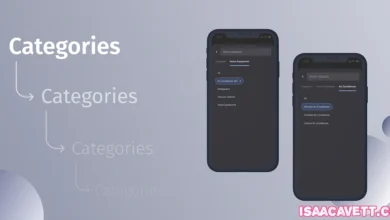
On launch, Simple VPK automatically scans your PS Vita storage for available .vpk files. This saves users from having to dig through folders manually.
Step 2 — Display VPKs in a Simple List
All VPK packages appear in an organized, readable list that you can navigate using standard Vita controls.
Step 3 — Select and Install
Choosing a file prompts Simple VPK to install it via its built-in installation handler.
Step 4 — Completion Notification
Once installation finishes, the app returns the user to the VPK list to continue managing additional files.
Because Simple VPK narrows its functionality to this single purpose, it minimizes errors and maintains consistent performance across different setups.
Is SimpleVPK Safe and Legal to Use?
Yes—SimpleVPK itself is safe, and its purpose is legal as long as users install only homebrew content.
What’s Safe
-
Homebrew games
-
Emulators
-
Custom utilities
-
Fan-made apps
-
Tools created by the PS Vita modding community
What’s Not Allowed
SimpleVPK should not be used for:
-
Piracy
-
Installing illegal game copies
-
Managing copyrighted commercial software
The homebrew community stresses the importance of ethical usage and supporting original developers.
Because Simple VPK is open-source and widely reviewed in homebrew circles, it is trusted as a clean, community-driven utility.
Community Opinions and SimpleVPK’s Role in 2025
Even years after the PS Vita’s production ended, the homebrew scene continues to grow. Simple VPK remains an important tool due to:
-
Continued interest in retro gaming
-
New developers creating Vita-compatible tools
-
Ongoing SD2Vita mod adoption
-
A stable and active modding community
Many users still prefer Simple VPK for its speed, simplicity, and focus on one task done well. It often appears in lists such as:
-
“Must-Have PS Vita Homebrew Apps”
-
“Best Tools for VPK Installation”
-
“Beginner-Friendly Vita Apps”
Because it’s still useful today, Simple VPK remains a part of most modern jailbroken Vita setups.
Conclusion
SimpleVPK is one of the most reliable and user-friendly VPK installers available in the PS Vita homebrew ecosystem. With a simple interface, fast performance, and community trust, it offers a hassle-free way to install legal homebrew apps, utilities, and fan projects on the Vita.
Whether you’re new to homebrew or building a full custom setup, Simple VPK remains a recommended tool—and a proven part of the Vita’s enduring modding legacy.