Ryujinx Has Encountered an Error Release Information from GitHub – Complete Fix Guide

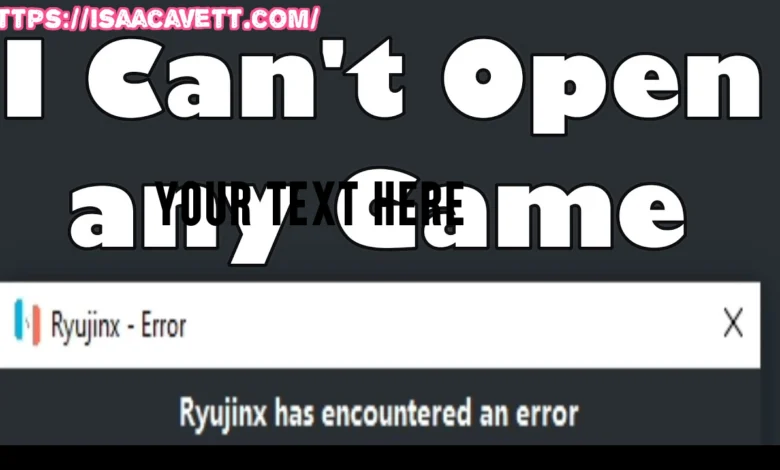
If you see the message ryujinx has encountered an error release information from github, take action immediately. This error prevents the Ryujinx emulator from checking updates and often interrupts normal startup. Follow this guide step by step, apply the fixes exactly as instructed, and restore stable emulator performance without confusion or wasted time.
Understand What the Error Actually Means
First, understand the problem clearly. The error ryujinx has encountered an error release information from github occurs when Ryujinx attempts to retrieve release data from GitHub and fails.
Recognize that Ryujinx relies on GitHub to:
- Check for updates
- Verify release metadata
- Confirm version compatibility
When GitHub release data becomes unavailable, the emulator throws this error. Do not assume the emulator is broken. Instead, identify this as a connectivity or source-availability issue, not a performance failure.
Focus on fixing the release lookup process rather than reinstalling blindly.
Identify the Main Causes of the Error
Next, identify the root cause before applying solutions. This error usually appears due to one or more of the following reasons:
- The official Ryujinx GitHub repository is no longer available
- Automatic update checks remain enabled
- GitHub API endpoints cannot be reached
- Firewall, DNS, or antivirus restrictions block access
- Outdated Ryujinx builds still point to inactive release URLs
Treat this as a configuration and update-source issue, not a system crash. Understanding this distinction prevents unnecessary data loss.
Disable Automatic Update Checks Immediately
Now, fix the most common cause. Disable the auto-update feature so Ryujinx stops searching for GitHub release information.
Follow these steps precisely:
- Launch Ryujinx
- Navigate to Options → Settings
- Open the General tab
- Uncheck “Check for Updates on Launch”
- Save settings and restart Ryujinx
This single action resolves the ryujinx has encountered an error release information from github message for most users.
Perform this step before trying anything else. Do not skip it.
Manually Update Ryujinx the Correct Way
After disabling auto-updates, update Ryujinx manually. Do not rely on built-in update mechanisms anymore.
Take these actions:
- Locate a trusted community fork or mirror
- Download the latest compiled build
- Extract the files into a clean directory
- Replace your existing Ryujinx executable files
- Preserve your keys, firmware, and user data
Manual updates prevent Ryujinx from calling inactive GitHub release endpoints and ensure long-term stability.
Never mix old binaries with new configurations.
Verify Internet, Firewall, and DNS Settings
If the error persists, check your network environment. GitHub requests may be blocked even when your internet works normally.
Do the following:
- Disable VPN temporarily
- Allow Ryujinx through Windows Firewall
- Whitelist Ryujinx in your antivirus software
- Switch DNS to Google (8.8.8.8) or Cloudflare (1.1.1.1)
Network filtering often triggers the ryujinx has encountered an error release information from github message even when GitHub is technically online.
Always test Ryujinx after each network change.
Use Community-Maintained Ryujinx Builds
Move forward by using actively maintained community builds. Since official release channels are no longer reliable, community forks provide:
- Independent update systems
- Bug fixes
- Compatibility improvements
- Removed GitHub dependency checks
Choose builds with:
- Recent commits
- Active issue tracking
- Verified community feedback
Avoid outdated mirrors. Always verify file integrity before launching.
Keep Firmware and Keys Fully Updated
Prevent secondary errors by updating your Nintendo Switch firmware files and prod.keys.
Always ensure:
- Firmware matches emulator compatibility
- Keys are extracted correctly
- Old firmware folders are removed
Outdated firmware does not directly cause the GitHub release error, but it creates additional startup failures that confuse troubleshooting.
Keep all emulator components aligned.
Avoid Common Mistakes That Cause Reoccurrence
Prevent the error from returning by avoiding these mistakes:
- Do not re-enable auto-updates
- Do not overwrite new builds with old executables
- Do not block GitHub domains selectively
- Do not mix stable and experimental builds
- Do not ignore config reset recommendations
Consistency keeps Ryujinx stable.
Optimize Ryujinx for Long-Term Stability
Go beyond the fix and optimize your setup:
- Update GPU drivers regularly
- Use Vulkan where supported
- Clear shader cache when switching builds
- Back up your Ryujinx folder monthly
- Follow community announcements
A stable configuration ensures you never see ryujinx has encountered an error release information from github again.
Final Instructions and Summary
Resolve the ryujinx has encountered an error release information from github issue by taking control of updates manually, disabling broken release checks, and maintaining a clean configuration.