RPCS3 Skate 3 Mod Menu: What You Need to Know, Safe Alternatives, and Performance Tips

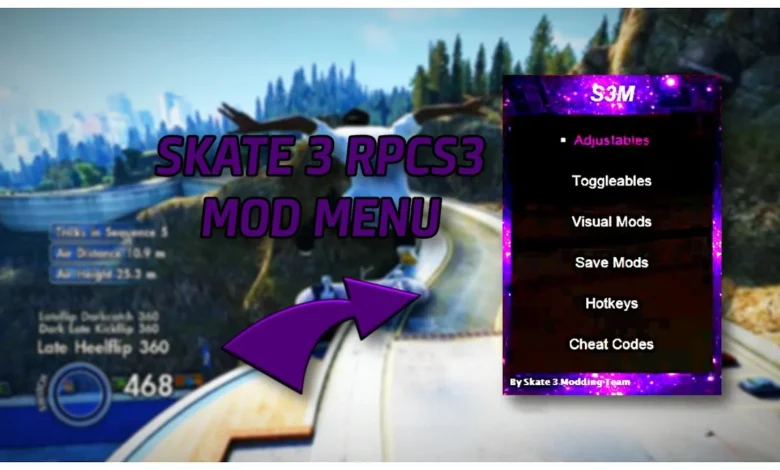
What Is the RPCS3 Skate 3 Mod Menu?
“RPCS3 Skate 3 mod menu” refers to community interest in improving or modifying Skate 3 when running it on RPCS3, the open-source PlayStation 3 emulator. Since Skate 3 is still one of the most beloved skateboarding titles ever made, many players look for ways to enhance it through:
-
visual tweaks
-
performance improvements
-
controller adjustments
-
custom camera options
-
community-made gameplay modifications
However, unlike PC-native games, Skate 3 does not have official mod tools, and RPCS3 does not support mod menus made for piracy or cheating frameworks used on real PS3 consoles.
The interest in a “Skate 3 mod menu” usually comes from players wanting more customization, not from hacking the game. So it’s important to understand what is possible, safe, and allowed when playing Skate 3 on RPCS3.
Does a Real Skate 3 Mod Menu Exist for RPCS3?
The short answer: No official or fully functional Skate 3 mod menu exists for RPCS3.
There are several reasons:
1. Most mod menus circulating online are PS3 CFW tools
These were designed for custom firmware PlayStation 3 consoles, not emulators. RPCS3 does not load these tools, and attempting to do so may:
-
break your installation
-
corrupt game files
-
violate online safety practices
2. RPCS3 uses a different environment than real PS3 hardware
Mod menus that rely on memory injection, cheat engines, or custom firmware structures simply do not apply within the RPCS3 architecture.
3. Many “Skate 3 mod menu downloads” online contain malware
This is why the modding community strongly warns against downloading files claiming to be RPCS3-compatible mod menus.
4. RPCS3 prioritizes legal homebrew and ethical modding
The emulator’s developers focus on performance, compatibility, and accuracy, not enabling exploit mods designed for PS3 manipulation.
Safe & Legal Ways to Enhance Skate 3 on RPCS3
While “mod menus” are not supported, there are real, safe, and community-approved methods to improve Skate 3 on RPCS3.
1. Custom Configuration Settings
RPCS3 allows users to tweak:
-
resolution scaling
-
frame limiter settings
-
Anti-Aliasing (MSAA)
-
Anisotropic Filtering
-
SPU / PPU threads
-
GPU flush options
These aren’t mods, but they significantly enhance the gameplay experience.
2. Texture Upscaling & Visual Enhancements
RPCS3 includes built-in tools for:
-
FidelityFX Super Resolution (FSR)
-
Upscale filters
-
Texture cache improvements
Many players use these to make Skate 3 look sharper than on the original hardware.
3. Controller Mapping Mods
RPCS3’s input system allows for:
-
DualSense adaptive trigger tuning
-
Xbox controller deadzone adjustments
-
Improved stick sensitivity settings
-
Custom layouts
This alone can make Skate 3 feel like a modern PC port.
4. Gameplay Cheat Patches (Safe, RPCS3-Approved)
RPCS3 supports .patch files for:
-
disabling blur effects
-
unlocking framerate experiments
-
adjusting FOV (field of view)
These are safe, text-based, and easily reversible.
5. Community Camera Tweaks
Players often request:
-
wider FOV
-
smoother chase cam
-
reduced motion blur
Some of these can be improved using patches and internal settings.
These enhancements are fully safe, do not involve piracy, and respect RPCS3’s guidelines.
Why Skate 3 on RPCS3 Is Popular for Modding
Even without a real mod menu, Skate 3 emulation has grown massively because RPCS3 offers features unavailable on PS3.
1. Higher Resolutions
RPCS3 can upscale Skate 3 to:
-
1080p
-
1440p
-
4K
-
even 8K
The game looks dramatically better than the original PS3 release.
2. Smoother Performance
Although Skate 3 is capped at 30 FPS, some users experiment with:
-
unlocked framerate tests
-
interpolation shaders
-
frame pacing stability
-
motion-smoothed playback
These help make the game feel smoother even if it cannot natively run at 60 FPS.
3. Endless Customization
Because RPCS3 is a PC-based emulator, players also modify:
-
camera settings
-
visual clarity filters
-
input profiles
-
online-freeplay tuning
This gives a “PC experience” that fans have wanted since Skate 3’s release.
How to Stay Safe When Searching for Skate 3 Mods
Since “RPCS3 Skate 3 mod menu” searches can lead to dangerous files, it’s important to follow safety guidelines.
Avoid
-
Download links from unknown sites
-
“CFW mod menus” advertised for RPCS3
-
Archive files requiring suspicious passwords
-
Tools claiming to “inject cheats into RPCS3”
-
“RPCS3 aimbot / cash / unlock all” menus
These are not real, and most contain:
-
malware
-
keyloggers
-
Trojan installers
-
account-stealing scripts
Use Only
-
Official RPCS3 patches list
-
Verified forums like Reddit r/RPCS3
-
GitHub-based community tools
-
RPCS3’s internal enhancement settings
-
Legitimately dumped game files from your own console
Following community-approved methods ensures a safe and stable experience.
Conclusion
While many players search for a “RPCS3 Skate 3 mod menu,” a true mod menu does not exist for the emulator. Instead, Skate 3 is enhanced through safe, legal options like configuration tuning, graphics enhancements, controller mods, and RPCS3 patch files.
These improvements often make Skate 3 look and play better than ever, offering a modernized experience without the risks associated with counterfeit mod menu downloads.