Ryujinx Has Encountered an Error Release Information From GitHub – Fix, Causes, and Complete Guide

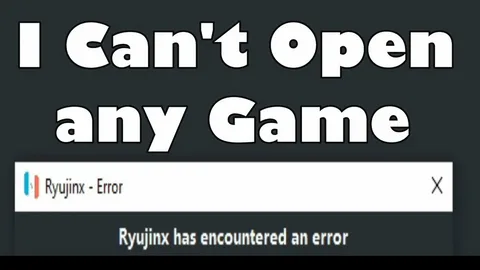
Take immediate action when you see the message ryujinx has encountered an error release information from github. Understand the root cause, apply the correct fixes, and prevent the error from returning. Follow this complete, step-by-step guide designed to help you resolve the issue effectively and keep Ryujinx running smoothly.
Understand What “Ryujinx Has Encountered an Error Release Information From GitHub” Means
Start by understanding the error clearly. The message ryujinx has encountered an error release information from github appears when the emulator tries to retrieve update or release data from GitHub and fails.
Recognize that Ryujinx depends on GitHub Releases to:
- Check for new emulator versions
- Verify build information
- Download update metadata
A failure occurs when Ryujinx cannot access the official GitHub release endpoint. This does not always mean the emulator is broken. In most cases, the error is related to update checks, not gameplay or performance.
Acknowledge that the emulator may still function normally after this message appears.
Identify the Main Causes of the GitHub Release Error
Determine the cause before attempting fixes. The error ryujinx has encountered an error release information from github usually occurs due to one or more of the following reasons:
Recognize Repository Unavailability
Understand that the official Ryujinx GitHub repository was taken down, which means the emulator can no longer fetch release data from its original source.
Check Internet and Network Restrictions
Confirm that your system has a stable internet connection. Firewalls, antivirus software, or DNS restrictions can block GitHub access.
Identify GitHub API or Server Issues
Accept that GitHub servers sometimes experience downtime or rate limits. When this happens, Ryujinx fails to retrieve release data.
Acknowledge Outdated Emulator Builds
Notice that older builds still attempt to connect to deprecated GitHub endpoints, triggering the error repeatedly.
Fix Ryujinx Has Encountered an Error Release Information From GitHub Immediately
Apply these fixes in order. Follow each step carefully to eliminate the error.
Disable Automatic Update Checks
Open Ryujinx and disable update checks immediately.
Do this now:
- Launch Ryujinx
- Open Options → Settings
- Navigate to General
- Uncheck “Check for updates on launch”
- Save settings and restart Ryujinx
This single action prevents Ryujinx from contacting GitHub and stops the error message completely.
Allow Ryujinx Through Firewall and Antivirus
Open your firewall and antivirus settings. Whitelist Ryujinx to allow outgoing connections.
Ensure that:
- GitHub domains are not blocked
- HTTPS connections are permitted
- No VPN is interfering with GitHub access
Restart your system after applying changes.
Use a Community-Maintained Build
Switch to a community-supported fork if you require updates.
Download Ryujinx builds only from trusted sources and avoid unknown executables. Community forks often remove broken update checks and include stability improvements.
Prevent the Error From Appearing Again
Take proactive steps to avoid seeing ryujinx has encountered an error release information from github in the future.
Keep a Stable Version Installed
Once you find a version that works:
- Back it up
- Avoid unnecessary updates
- Store a local copy safely
Disable Online Update Features Permanently
Leave auto-update disabled unless a reliable update source is available.
Monitor Emulator Communities
Stay informed by checking community forums and development channels for:
- New forks
- Fix announcements
- Security updates
Understand Whether Ryujinx Still Works After the Error
Do not panic when the error appears. In most cases:
- Games still launch and run normally
- Performance remains unchanged
- Save data stays intact
The message only indicates a failed release check, not a critical emulator failure.
Continue playing as usual once update checks are disabled.
Decide Whether to Continue Using Ryujinx
Make an informed decision. Understand both benefits and limitations.
Accept the Limitations
- No official updates
- No official GitHub support
- Reliance on community fixes
Acknowledge the Advantages
- Stable performance for supported games
- Mature emulator core
- Large compatibility library
Choose to continue using Ryujinx if your games run well and your system remains stable.
Troubleshoot If the Error Still Appears
If the message ryujinx has encountered an error release information from github continues after disabling updates:
- Delete the Ryujinx config folder
- Reinstall the emulator
- Reapply settings manually
- Disable updates before restarting
Avoid reinstalling repeatedly without changing settings.
Follow Best Practices for Emulator Stability
Maintain long-term stability by following these rules:
- Back up saves regularly
- Avoid experimental builds
- Disable unused features
- Keep graphics drivers updated
- Use official firmware and keys
These practices reduce crashes and unexpected errors.
Final Thoughts
Act decisively when you see ryujinx has encountered an error release information from github. Understand the cause, disable broken update checks, and rely on stable builds. The error is not fatal, and with the correct settings, Ryujinx continues to function reliably
